
📌 Customised ERP – Bullet Points with Visuals
🧩 What is a Customised ERP?
- 🏗️ ERP software designed specifically for one organization
- 🎯 Tailored to unique workflows, rules, and goals
- 🧠 Aligns technology with business strategy
❓ Why Organisations Choose Customised ERP
- 🏢 Every business works differently
- 🔄 Standard ERP may not fit unique processes
- 📊 Need for custom reports & dashboards
- 📜 Industry-specific compliance needs
⚙️ Key Features of Customised ERP
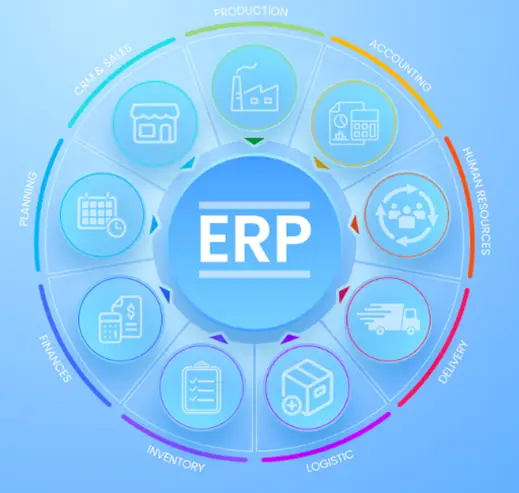
🧱 Tailored Modules
- 💰 Finance & Accounting
- 👥 Human Resource Management
- 📦 Inventory & Supply Chain
- 🤝 CRM (Customer Relationship Management)
- 🏭 Manufacturing / Production
🔁 Custom Workflows
- 🤖 Automates business-specific tasks
- ✂️ Reduces manual work
- 🧩 Mirrors real-life operations
🏷️ Industry-Specific Design
- ⚖️ Law firms
- 🏥 Hospitals
- 🎓 Educational institutions
- 🛍️ Retail & Ecommerce
📊 Reports & Dashboards
- 📈 Real-time data insights
- 🖥️ Role-based dashboards
- 🎯 Custom KPIs
🔗 System Integration
- 🧬 Legacy software integration
- 💳 Payment gateways
- 🏛️ Government portals
🧪 Types of Customisation
- ⚙️ Configuration-Based
- 🧩 Modify settings & forms
- ⏱️ Faster & cheaper
- 💻 Code-Level Customisation
- 🛠️ New modules & logic
- 💸 Costly but highly flexible
✅ Advantages of Customised ERP
- 🎯 Exact business fit
- ⚡ Higher efficiency
- 😊 Better user adoption
- 📈 Scalable with growth
- 🏆 Competitive advantage
❌ Disadvantages of Customised ERP
- 💰 High development cost
- ⏳ Longer implementation time
- 🧰 Complex maintenance
- 🔒 Dependency on developers
🔍 Customised ERP vs Standard ERP
| 🔑 Aspect | 🧩 Customised ERP | 📦 Standard ERP |
| Flexibility | ⭐⭐⭐⭐⭐ | ⭐⭐ |
| Cost | 💰 High | 💵 Lower |
| Time | ⏳ Long | ⚡ Short |
| Fit | 🎯 Exact | 🌍 General |
🚀 Implementation Steps
- 🔍 Requirement analysis
- 🧠 System design
- 💻 Development
- 🧪 Testing
- 🎓 User training
- 🚀 Deployment
- 🔧 Maintenance
🧠 Conclusion
- 🧩 Customised ERP = Perfect-fit solution
- 📊 Improves productivity & decisions
- 🏗️ High initial effort, long-term gains